
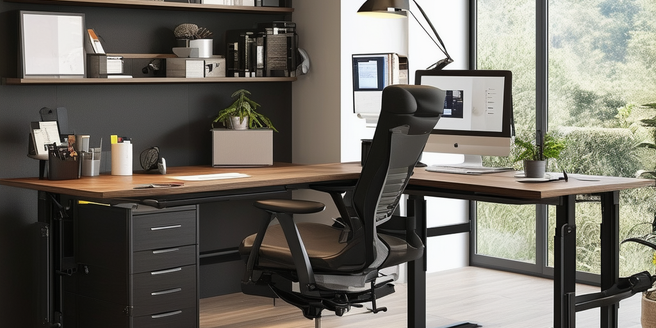
The Importance of Ergonomics in Modern Offices
The importance of ergonomics in modern offices cannot be overstated. It involves designing workspaces that suit the physical needs of employees, leading to increased comfort, efficiency, and productivity. Ergonomically optimized environments reduce the risk of musculoskeletal disorders, such as back pain and repetitive strain injuries. Moreover, investing in ergonomics can significantly enhance the overall working experience for employees. In addition to physical health benefits, employees working in ergonomic environments often report higher job satisfaction. The focus on ergonomics is becoming increasingly vital as more businesses recognize its long-term benefits. In modern offices, adopting ergonomic practices includes using adjustable chairs, sit-stand desks, and properly aligned computer monitors. By prioritizing ergonomics, businesses not only improve employee well-being but also minimize absenteeism and healthcare costs.
Choosing the Right Furniture for Comfort and Health
When it comes to creating ergonomic workspaces, choosing the right furniture is crucial for comfort and health. Ergonomic chairs that offer lumbar support, adjustable seating, and armrests help maintain proper posture. Sit-stand desks provide flexibility, allowing employees to alternate between sitting and standing throughout the day. Moreover, it’s important to encourage regular breaks to further support comfort and productivity. Adding a footrest can also aid in comfort by providing a place to rest the feet. Lighting is another key factor that can significantly impact ergonomic comfort. Additionally, keyboard trays and monitor arms ensure that peripheral devices are at the optimal height and angle. Investing in high-quality, adjustable furniture can greatly enhance comfort and reduce physical strain, promoting a healthier workplace.
Lighting Solutions to Reduce Eye Strain
Effective lighting solutions are essential for reducing eye strain in the workplace. Natural light is ideal, but when it’s not available, adjustable LED lighting that mimics natural daylight should be used. Overhead lights should be combined with task lighting for focused work areas. Ergonomic assessments can also help identify areas needing better lighting adjustments. Incorporating adjustable blinds or shades can further enhance lighting control. It’s crucial to consider the positioning of lighting sources to avoid creating shadows that may cause additional strain. Additionally, it’s important to regularly clean lighting fixtures to ensure they provide optimal illumination. Anti-glare screens on monitors can also help reduce eye fatigue. By properly adjusting lighting setups, employees can avoid eye strain, headaches, and other visual discomforts, thus maintaining productivity and comfort throughout the workday.
Incorporating Technology for an Ergonomic Workspace
Incorporating technology into ergonomic workspaces is a forward-thinking approach to improve efficiency and comfort. Ergonomic keyboards and mice reduce stress on hands and wrists, while dual monitors can improve workflow efficiency. Utilizing advanced lighting systems can also enhance focus and reduce eye strain. Height-adjustable desks offer flexibility to work from either a sitting or standing position. Voice recognition software can also alleviate strain by reducing the need for constant typing. Additionally, apps that remind employees to take breaks and adjust their posture contribute to a healthier work environment. Investing in ergonomic furniture and tools can lead to long-term health benefits for employees. By leveraging technology, businesses can create more ergonomic and productive workspaces.
Maintaining Ergonomics While Working from Home
Maintaining ergonomics while working from home is essential for productivity and well-being. Start by designating a specific workspace that includes a comfortable chair with proper back support. Remember to keep your wrists straight while typing to prevent strain. It’s also beneficial to invest in ergonomic accessories like wrist pads and footrests. Use a desk that allows for an ergonomic setup of monitors, keyboards, and mice. Make sure your monitor is at eye level to avoid neck strain. Adjust the chair height to keep your feet flat on the floor. Ensure good lighting to reduce eye strain, and incorporate regular breaks to move and stretch. Adapting the home environment to meet ergonomic standards helps in preventing physical discomfort and enhancing overall work efficiency.