
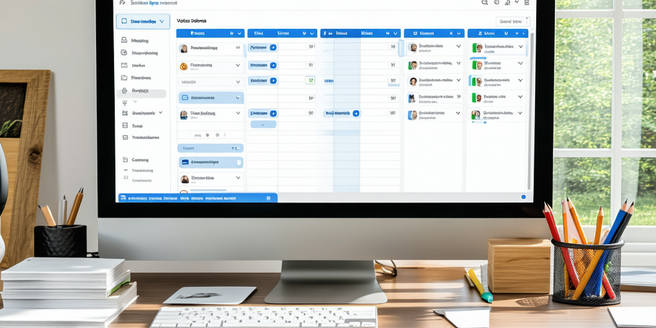
Choose the Right Tools for Your Needs
Selecting the appropriate tools for virtual meetings can significantly impact their effectiveness. First, consider the size and needs of your organization. For larger teams, platforms like Zoom or Microsoft Teams offer scalability and interaction features that smaller services may lack. Evaluate the necessary features, such as screen sharing, breakout rooms, or chat functions. It’s also prudent to consider security: ensure that the software offers proper encryption and access controls, especially if sensitive information will be shared. Additionally, assess the ease of use to prevent technical difficulties that might arise. Opt for tools that are user-friendly and provide customer support if needed. By aligning the tool’s functionalities with your needs, you enhance the efficiency and engagement of your virtual meetings.
Set Clear Meeting Objectives
Before any virtual meeting, it’s crucial to define its purpose. Setting clear objectives helps in staying focused and ensures that all participants are aware of the meeting’s goals. An objective-driven meeting allows you to create a relevant agenda and guides discussions toward productive outcomes. Share these objectives with the attendees in advance, enabling them to prepare and contribute effectively. Clear objectives also prevent meetings from dragging on or diverging into irrelevant topics, saving precious time. During the meeting, frequently refer back to these objectives to steer the conversation. Post-meeting, you can evaluate its success by assessing whether the initial objectives were met, ensuring continuous improvement of your virtual meeting strategy.
Create an Engaging Agenda
Crafting a compelling agenda is the backbone of a successful virtual meeting. An agenda provides structure and aligns everyone’s expectations. Start by identifying the main topics and allocate time slots for each to keep the meeting on track. Encourage input by asking attendees for their agenda items in advance, which fosters inclusion and readiness. An engaging agenda should mix presentations with interactive sessions, such as Q&A or workshops, to maintain momentum and interest. Include breaks for longer meetings to prevent fatigue. Sharing the agenda beforehand allows participants to come prepared with insights or questions, enhancing the quality of discourse. This preparation leads to a meaningful and efficient meeting experience.
Optimize Audio and Video Settings
The audio and video quality in a virtual meeting significantly affects the overall experience. Start by testing your equipment before the meeting to ensure functionality. It’s essential to have a stable internet connection, as interruptions can disrupt communication flow. Choose a quiet setting to minimize background noise and consider using a headset to enhance audio clarity. Adjust your video settings to depict a professional appearance—ensure good lighting and a tidy background. Additionally, familiarize yourself with your meeting platform’s features, such as muting options or virtual backgrounds, which can improve presentation quality. Attending to these technical details prevents distractions, allowing participants to focus on the meeting content rather than technical issues.
Encourage Active Participation
An engaging virtual meeting stems from the active involvement of all participants. Begin by establishing a culture that values contributions, where every voice is heard and respected. Diversify your approach by integrating interactive elements such as polls, breakout rooms, or whiteboards to facilitate engagement. Direct questions to specific participants to invite dialogue and keep energy levels high. Encourage chat participation for those who might be less comfortable speaking out loud. Recognize individual contributions to foster a sense of appreciation and belonging. Active participation not only keeps attendees focused but also cultivates a collaborative atmosphere that drives the meeting’s objectives forward, making the experience rewarding and impactful for everyone involved.
Follow-Up and Feedback Mechanisms
Following up after a virtual meeting is critical to ensure that action items are addressed and objectives are met. Summarize key points and decisions and share a meeting recap with attendees, highlighting responsibilities and deadlines. This follow-up reinforces accountability and clarity. Additionally, solicit feedback on the meeting’s structure and content to understand what worked well and what can be improved. Feedback mechanisms, such as surveys or direct interviews, provide insights into enhancing future meetings. Implementing this continuous improvement loop not only refines your meeting approach but also demonstrates a commitment to optimizing the virtual meeting experience for all participants.